This site
Astro, static, on Azure Static Web Apps. No server, no adapter, and exactly two scripts - which started as zero, and then survived a whole 1.1 release without becoming three.
Listen to this project page · 26 minutes, read by Brian, an AI voice
The short version
A static Astro site on Azure Static Web Apps: a pipeline that builds the site itself and uploads only dist, and exactly two scripts, each pinned by hash in the security headers. Most of this page is about the things that fail without telling you, the confessions a security review got out of me, and how version 1.1 added full-screen images, diagrams, labelled AI art and a narrator called Brian, all without a third script.
On one moderately coolish day in September 2026, I decided to build this site. Of course, the first builds were flawless, not a single issue! Green tick, clean exit code, no warnings, and not a single stylesheet in them. The culprit was my own machine: C:\repos is a junction onto another drive, Vite resolved the modules on one side of it while Astro tracked the other, and the CSS fell through the gap without a word. One line of config fixed it (preserveSymlinks, if ye’ve a junction of your own).
This page takes ye through the technical side, and it’ll be updated as new versions are released (as demanded by my investors). A static site has very few moving parts by definition, but that doesn’t mean engineering discipline goes out the window. What follows is how the site is put together, and every place it has failed silently on me so far.
The stack, briefly
| Layer | Built with |
|---|---|
| Site generator | Astro 7, static output |
| Content | MDX in content collections, Zod-typed frontmatter |
| Styling | One hand-written stylesheet, CSS custom properties |
| Type | Fraunces1, self-hosted, for headings; system stacks below |
| Syntax highlighting | Prism, not Shiki (see the confession below) |
| Hosting | Azure Static Web Apps, Free tier |
| Narration | Azure AI Speech, Ogg Opus2 files in Blob Storage |
| Infrastructure | Bicep: the site, and the storage for the audio |
| Pipeline | GitHub Actions, SHA-pinned, deploys from main only |
Content is typed, not trusted
The site’s collections - posts and projects - share a Zod3 schema for title, description, date, tags and draft status, with projects adding a status enum and optional repo/live links. If something’s off in the frontmatter the build fails, so I won’t accidentally post a half-completed thought or, worse, a syntax error gasp.
Drafts render in astro dev and nowhere else: a production build leaves them out, and a description over 160 characters doesn’t build at all.
Two scripts, and what they cost
This site started with a guideline (Claude says it was a rule): no client-side JavaScript on a content page. Dark mode followed prefers-color-scheme and that was the end of it. The rule held until the first person asked for a theme toggle. That person was me, after looking at the boring UI I had just built.
So there was exactly one script. It sets a data-theme attribute before <body> parses, reads and writes one localStorage key, and falls back to prefers-color-scheme when it doesn’t run. About thirty lines, no dependencies, no framework - the type of efficiency that software dev promises but rarely achieves.
It wasn’t free, and the bill is the interesting part:
- The CSP pins it by hash. Having co-authored a few internal docs on ISO standards over the years, this was the first thing to set my cyber senses tingling. The boring technical bit:
script-srccarries a sha256 of that exact script rather than'self', so nothing else can execute (cybersecurity win!). - Every themed rule now has two routes. The OS preference when the reader hasn’t chosen (dark for those L337 hackers and light for everyone else),
[data-theme]when they have.
Then there were two, and this page spent an evening being wrong about it. After launch I decided the site was too plain and filled the wide-screen margins with a drifting pattern of matrices and maths symbols. It moved as you scrolled, all in CSS: no script, rule intact. It worked right up until you swiped past the end of a page a few times on a touchpad, at which point Edge stopped drawing the page for a second or more. Nothing was busy, nothing errored, and no amount of tuning the CSS changed it. Moving the same pattern from a dozen lines of script did.
So the second script exists to work around a browser. It gets its own hash in the CSP, and with scripts blocked the pattern simply stands still. Ye on a phone never see it at all: it only shows on a wide screen.
Infrastructure
It’s always great to design the best and coolest thingy, but if no one can see it or read it or touch it - then it’s really just décor. So I made it easy: one Bicep file (keep it KISS and DRY!). The pipeline owns the deployment; Bicep owns the resources.
It stayed one file until Brian (the AI voice that reads the posts aloud, he’s a sound lad) needed somewhere to keep his recordings. The storage account is a second Bicep file, pulled in as a module, with one public container for the audio and a role assignment so I can upload to it.
The pipeline, and the Oryx detour
The default Static Web Apps workflow hands your repository to Oryx4, Azure’s build engine (so thoughtful!), and lets it work out how to build the site. It’ll happily build Astro5, to be fair. That’s convenient right up until you want any customisation: a pinned Node.js version, a type check before the build, or a failure you can actually read.
“Sometimes the absence of something is all you need”. - Tim in September 2026
That led to the current pipeline:
Tim
⌨️ Push
To
main, the only branch that deploys.GitHub Actions
📦 Install
npm cion a pinned Node.js, every action pinned to a commit.GitHub Actions
🔍 Check
astro checkfor the types, then every narrated page against its script.GitHub Actions
🏗️ Build
astro build, then every#fragmentlink checked against the page it points at.Static Web Apps
🚀 Deploy
Uploads
distand nothing else. Oryx never wakes up.
Tim
⌨️ Push
To
main, the only branch that deploys.GitHub Actions
📦 Install
npm cion a pinned Node.js, every action pinned to a commit.GitHub Actions
🔍 Check
astro checkfor the types, then every narrated page against its script.GitHub Actions
🏗️ Build
astro build, then every#fragmentlink checked against the page it points at.Static Web Apps
🚀 Deploy
Uploads
distand nothing else. Oryx never wakes up.
The step that matters is the last one: the deploy action runs with skip_app_build: true, so it uploads dist and nothing else.
Another planned feature was a preview before publishing to GA - not doing that is like forgetting to put pants on, and that just isn’t comfortable for anyone. Pull requests used to get their own preview environment, torn down again when the PR closed. Then a security review pointed out two things: I’d never opened a single pull request, and that preview job was the only reason a stranger’s fork could run anything in my repository’s workflows. So it went. Previews happen in astro dev now, and main is the only thing that deploys. Thankfully, a static site barely differs between dev and GA!
The rest of the pipeline got the same treatment. Every action is pinned to a commit SHA rather than a tag someone else can move, and the deploy token lives in a production environment that only main can reach.
Headers and caching
Cache all the things!*
*: staticwebapp.config.json sets a CSP that starts from default-src 'none' and allows back only what the site uses, HSTS, nosniff, a referrer policy and a Permissions-Policy that switches off hardware APIs this site shouldn’t be asking for. Astro’s hashed assets under /_astro/ get a year of immutable caching; HTML gets must-revalidate, so a deploy is visible immediately.
A strict policy has a habit of being right in ways that look broken, and two of the 1.1 bug fixes were exactly that. The feed and the sitemap opened in Edge and Chrome as a wall of run-together text (it looked like someone had vomited words onto a page). Broken feed, surely? Not this time. Chromium draws its XML tree view with an inline stylesheet and data: icons, inside a document that inherits the page’s CSP, and style-src 'self' showed both of them the door. So the XML routes carry their own policy now, letting in exactly those two things and not a byte more (I can’t stand walls of text).
Then Edge’s Immersive Reader started showing a broken image above every alt text. Turns out it rebuilds the article under a read:// address and fetches the images from there, and Cross-Origin-Resource-Policy: same-origin6 turned every one of them away. The page itself looked grand, so nothing pointed at the header (sound familiar?). Images under /_astro/ now go out as cross-origin (the web’s default anyway), and the pages keep same-origin.
So the policy isn’t one policy. Here’s what each route sets on top of it, and why:
| Route | Sets | Because |
|---|---|---|
/* |
Cache-Control: max-age=0, must-revalidate |
A deploy is visible straight away |
/_astro/* |
A year of immutable caching, and CORP cross-origin |
The file names carry a hash, so they never change; Immersive Reader fetches from read:// |
/favicon.svg |
A week of caching, and CORP cross-origin |
Same reader, same fix |
/rss.xml, /sitemap*.xml |
Their own CSP, allowing inline styles and data: images |
Chromium’s XML tree view, and only that |
Now the confession, or there was one. The first version of this page admitted that style-src carried 'unsafe-inline', with two culprits: Astro inlining its smaller stylesheets straight into the page, and Shiki7 writing every syntax colour as an inline style attribute. I’d decided to live with it.
Then a security review found a third culprit I hadn’t: the hero image’s crop, passed in as a style attribute. Three was enough. Stylesheets now always ship as files (one line of config: build.inlineStylesheets: 'never'), the hero takes its crop from data attributes, and syntax highlighting runs on Prism8 instead of Shiki: it classes tokens rather than inlining a colour per span, so the CSP needed no exception for it. style-src is 'self' on every page.
So go ahead and View Source, which - let’s be honest - you were going to do anyway. This time there’s nothing to find.
1.1, and still two scripts
Then along came version 1.1, codenamed “Chocolate Chip” (I just made that up, there was no codename - but the investors love it). It shipped three weeks after launch, and the release post is the fun version. Here we talk about the tech and what each feature cost. The rule for all of them was the same: a page does its whole job with scripts blocked, and script-src doesn’t move. None of them added a third script, and none added a dependency - surprisingly, thanks to a bit of advocating by Opus (Anthropic’s Claude model and my partner in building this site).
Full screen, in plain HTML
Images, wide tables and diagrams all open full size now, and none of it is JavaScript (amazing what modern browsers can do!). The popover attribute9 does the lot: a button with popovertarget opens the element, and the browser looks after the backdrop, the Escape key and the focus. Nothing needs a hash. A browser that doesn’t know the attribute gets a plain link to the full-size image, which is what it had before.
Funnily enough, tables were the reason the full-screen feature started. The texturiser post had a five-column table that pushed the whole page sideways on a phone. Now a Markdown table with four or more columns, on a screen under 44rem, keeps its columns readable, fades out at the edge, scrolls sideways, and gets a button that opens the whole thing in a popover. The posts didn’t change: the entry routes map every Markdown table onto the component. “Four or more” is a fixed number rather than a measurement, which is a known limit and a fair price for no script.
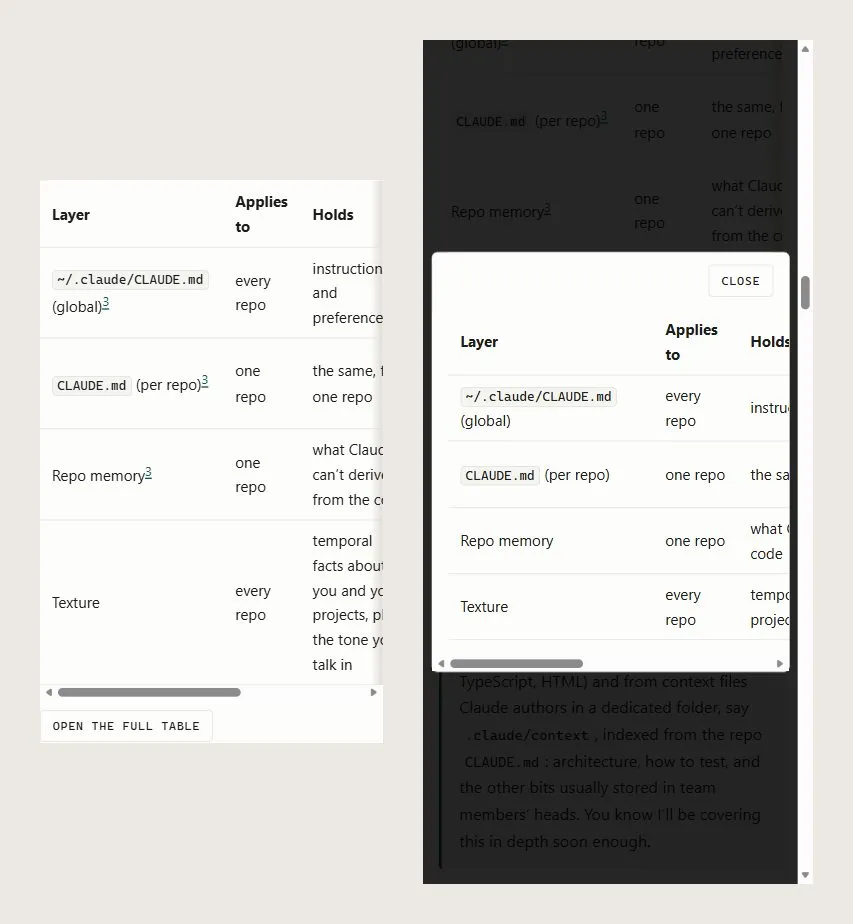
The trap, because there’s always one: the overlay holds a second copy of the caption or the table, and a footnote marker in that copy repeats an id and scrolls the page behind the backdrop when clicked. So the copy loses its markers.
Diagrams without a diagram library
Two posts wanted a pipeline diagram, and the obvious answer was Mermaid. mermaid.js on the page breaks the site’s rules guidelines, so Opus talked me out of it (it does that).
What shipped is a Pipeline of Steps: an ordered list in HTML and CSS, styled as cards and arrows. It follows the theme toggle, runs off the article’s edge in one row and opens full size in a popover, and drops to a single column under 48rem. Take the stylesheet away and it’s a numbered list, which is what it was all along. A step that repeats says so in words, because a list can’t draw the arrow back. Agentic AI wins the day over a third-party dependency!
As someone who regularly plans development well ahead, I worry about future-proofing. These lightweight diagrams are great, but they draw a sequence and nothing else. The day a diagram needs to fork, Mermaid rendered to SVG at build time is the likely answer, and an untested one.
Posts by month
Once I’d written enough for ye, /posts/ needed grouping: by year, then by month, under real headings, with a contents list beside it: sticky on a wide screen, a closed <details> (“Jump to a month”) below 64rem. The anchors are the dates themselves, so /posts/#2026-10 goes where you’d expect. No archive pages like /posts/2026/10/, by choice.
Two details took longer than the feature. A closed <details> can’t be reliably forced open without script, so the list of months is in the page twice and the stylesheet shows one of them. And dates are read in UTC: frontmatter dates are midnight UTC, and a build machine west of Greenwich would otherwise file a post from the 1st under the month before. (Ireland is west of Greenwich too, but our clocks never fall behind it, so we’re grand.)
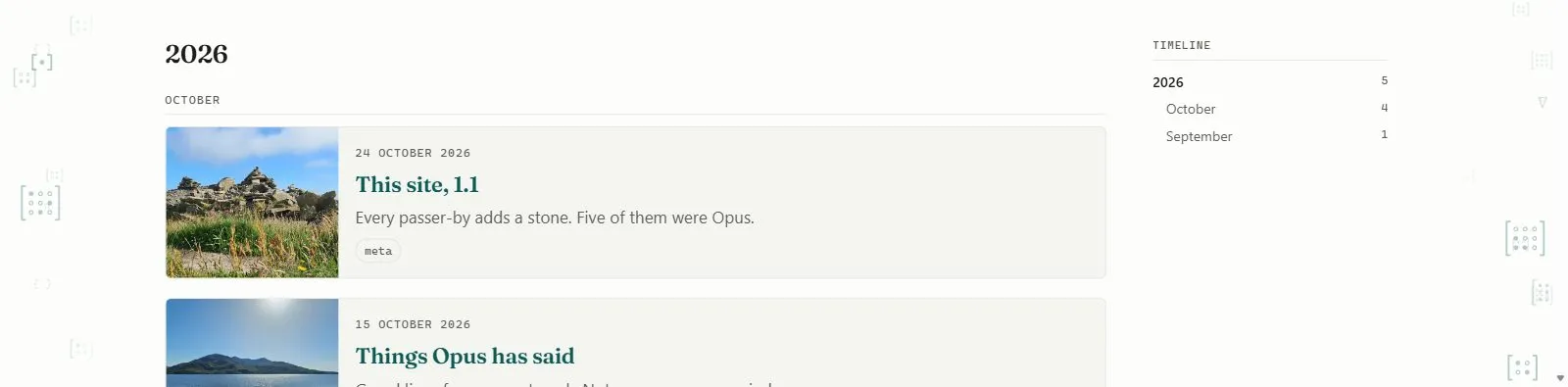
/posts/ on a wide screen: the list in the middle, the months on the right, and the margin drift from earlier down both sides./posts/ on a wide screen: the list in the middle, the months on the right, and the margin drift from earlier down both sides.AI images, labelled
On a site about AI, there’s one thing I believe matters: transparency. So every image a model had a hand in says so three times, set by two arguments that have to agree:
| Where | What it says | Set by |
|---|---|---|
| The pixels | AI-generated or AI composite, burnt into a corner |
The converter’s -Ai |
| The file | The IPTC digital source type10 | The converter’s -Ai |
| The page | The European Commission’s AI icon11, with the kind as its hover and screen-reader text | Figure’s ai prop |
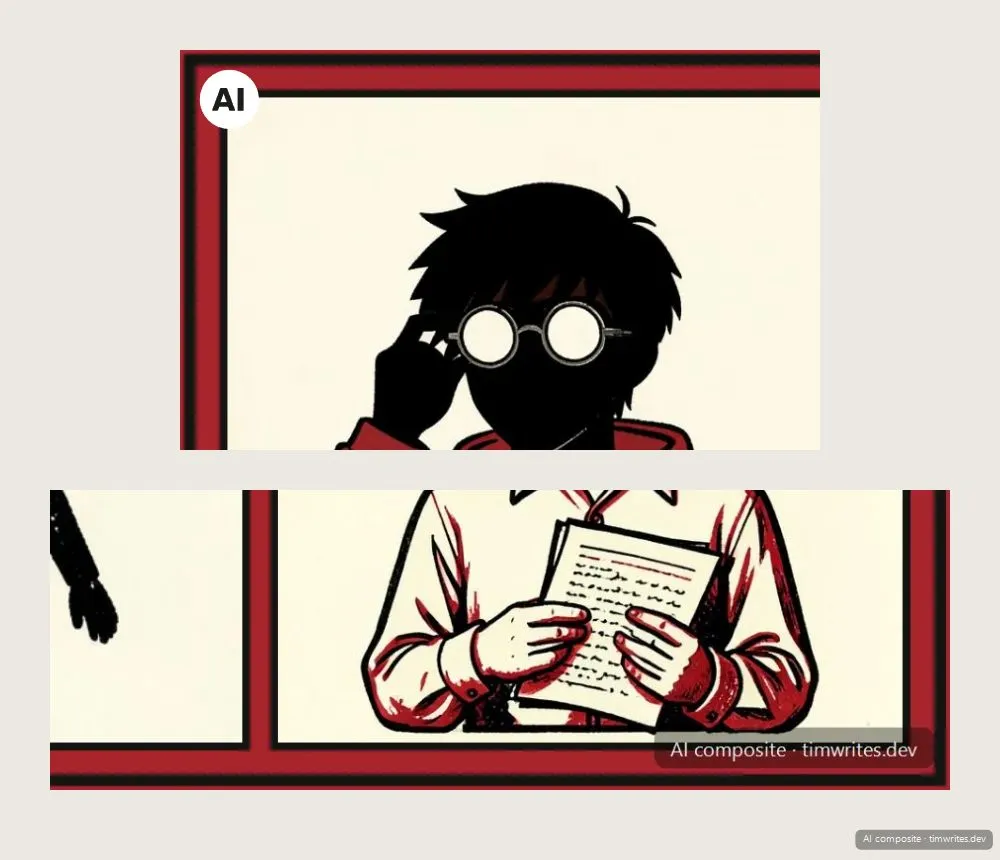

The folder decides the licence as well: anything in src/assets/generated/ has its own scope in the LICENSE, on the same CC BY-NC terms as the writing.
The trap: nothing checks that the prop matches the file, or that an image in that folder went through the converter at all. Astro also drops the source type from every copy it re-encodes, so it survives in the committed file only. I’m grand with that. The burnt-in label is the one that travels.
Brian reads the posts
Brian, our sound lad of an AI voice, puts up with reading the site aloud (he gets a bullet of his own in the release post). None of the narration runs in the build or in the browser. The recordings are made on my machine with Azure AI Speech, stored in Blob Storage under a name carrying their hash, cached for a year, and played by a native <audio controls>. Skipping about works because the browser asks for byte ranges and the storage answers them12. No player script, no third hash.
To give Brian real personality, every second of audio is lovingly crafted by a pipeline that treats ye to a moderately enjoyable listening experience:
Tim
✍️ Write
Final words only: every edit after this is a re-read.
init
✂️ Segment
The MDX cut into segments by Astro’s own parser.
Opus and Tim
🎚️ Tune
Pauses, respellings, language tags. Opus writes them, my ears rule on them.
until it sounds right
check
✅ Check
Same words as the post, and only the tags the voice handles well.
Azure AI Speech
🎙️ Synthesise
One request per changed segment, stitched and encoded to Ogg Opus.
publish
📤 Publish
Uploaded under a hashed name, and the manifest puts a player on the page.
Tim
✍️ Write
Final words only: every edit after this is a re-read.
init
✂️ Segment
The MDX cut into segments by Astro’s own parser.
Opus and Tim
🎚️ Tune
Pauses, respellings, language tags. Opus writes them, my ears rule on them.
until it sounds right
check
✅ Check
Same words as the post, and only the tags the voice handles well.
Azure AI Speech
🎙️ Synthesise
One request per changed segment, stitched and encoded to Ogg Opus.
publish
📤 Publish
Uploaded under a hashed name, and the manifest puts a player on the page.
Each recording has a tuned SSML script beside its post, one segment per paragraph, heading, list item or diagram step. The segments are cut by the same MDX parser Astro uses, so a paragraph ends where the site says it does, and a check holds the script to the post word for word. Pauses and punctuation are mine to tune; the words aren’t. Only the segments that changed are synthesised again.
Tuning is where the time goes, mine and Opus’s, and Latin is the best example. The colophon in A niche word, courtesy of Opus is a paragraph of fifteenth-century Latin, and Brian’s first go at it was through IPA: every phrase spelt out phonetically, in his Irish accent. The second asked the voice for Italian instead, with the printer’s German names in German (German names in an Italian accent would be odd). Have a listen to both:
Take one · Latin through IPA, then the translation
The colophon read phrase by phrase from IPA, followed by Brian’s English translation.
Take two · Latin through an Italian voice
The same Latin through an it-IT language tag.
Take two won: Irish-accented Latin didn’t sound like Latin, and since Microsoft had no Latin voice (at the time of recording), Italian was the next best thing. Now Latin always gets the Italian accent. This is what it looks like in the tuned script, the Latin and then the translation, one segment each:
<prosody rate="-4%"><lang xml:lang="it-IT">
  Presens Valerii Maximi opus preclarissimum,<break time="300ms"/>
  in nobili urbe Moguntina Rheni terminatum,<break time="300ms"/>
  anno <sub alias="millesimo">M</sub> <sub alias="quadringentesimo">cccc</sub>
  <sub alias="septuagesimo primo">lxxi</sub>,<break time="300ms"/>
  <sub alias="decimo octavo">xviii</sub> kalendis iuliis,<break time="300ms"/>
  per egregium Petrum</lang>
  <lang xml:lang="de-DE">Schoyffer</lang> <lang xml:lang="it-IT">de</lang>
  <lang xml:lang="de-DE">Gernshem</lang>
  <lang xml:lang="it-IT">artis impressorie magistrum,<break time="300ms"/>
  feliciter est consummatum.</lang>
</prosody>

This most renowned work of
<phoneme alphabet="ipa" ph="vəˈlɪəriəs ˈmæksɪməs">Valerius Maximus</phoneme>,<break time="200ms"/>
finished in the noble city of <lang xml:lang="de-DE">Mainz</lang> on the Rhine
in the year <sub alias="fourteen seventy-one">1471</sub>,<break time="250ms"/>
on the eighteenth day before the Kalends of July,<break time="250ms"/>
was happily brought to completion by the distinguished
<lang xml:lang="de-DE">Peter Schöffer</lang> of <lang xml:lang="de-DE">Gernsheim</lang>,<break time="200ms"/>
master of the art of printing.
The Roman numerals are the bit I like best: the page shows M cccc lxxi, and each <sub alias> makes Brian say the Latin word for it. The page keeps its letters and Brian gets his words, so the check still sees the same text as the post.
And the traps, because Brian has two. Edit a narrated post and npm run check fails, taking the deploy down with it, until Brian reads it again. Otherwise the page would happily offer a recording of words it no longer says. And the storage host is written down twice, once for the player’s address and once in media-src, since a JSON config can’t read a constant. Change one without the other and every player goes quiet on a perfectly green build.
What’s deliberately missing
- No analytics.
- No comments (we’ve got enough of those elsewhere).
- No third-party requests. KISS!
- No interactive islands13, yet! That’s very much a “let’s build it when it’s needed” - a completely valid engineering decision.
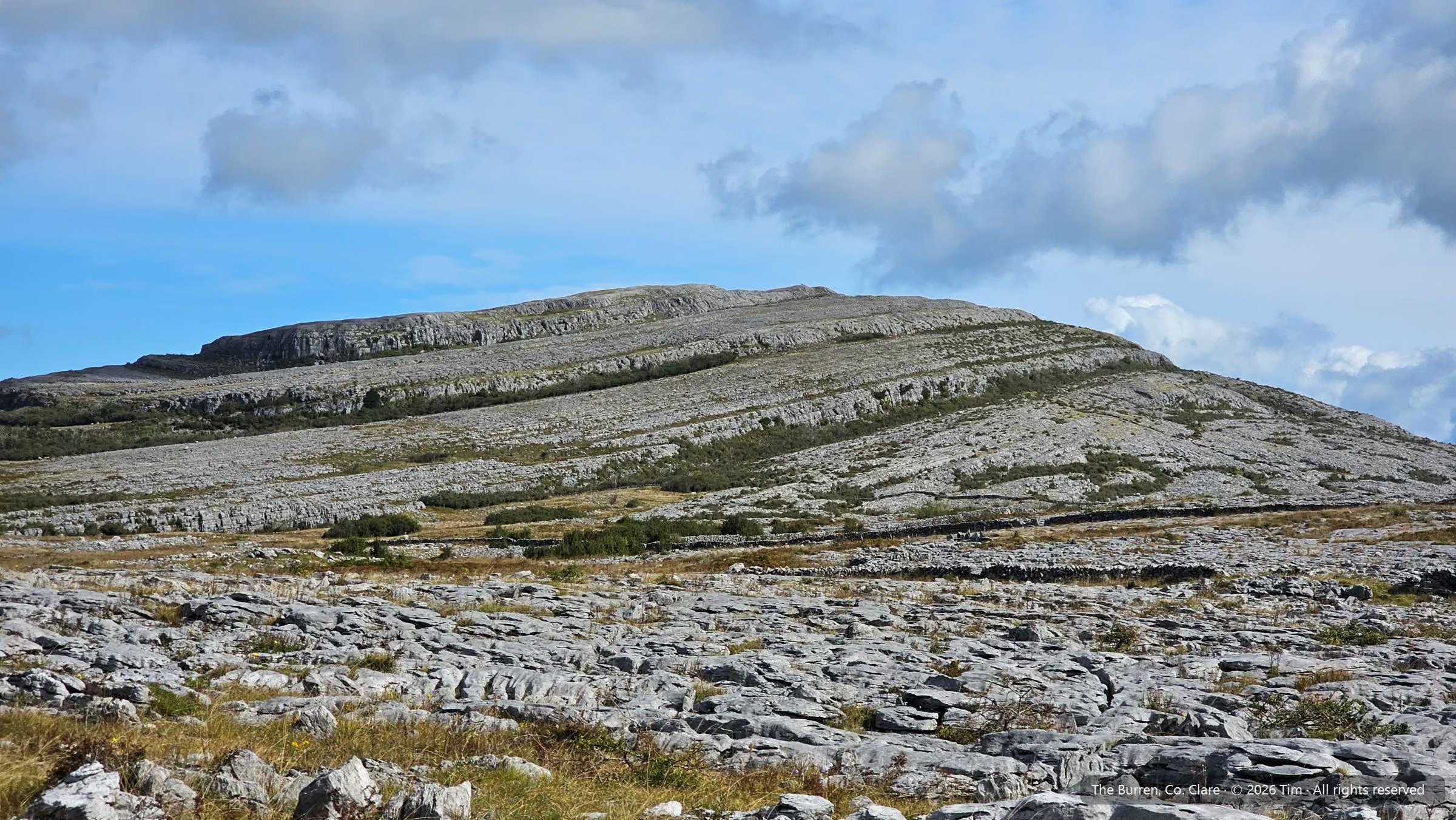
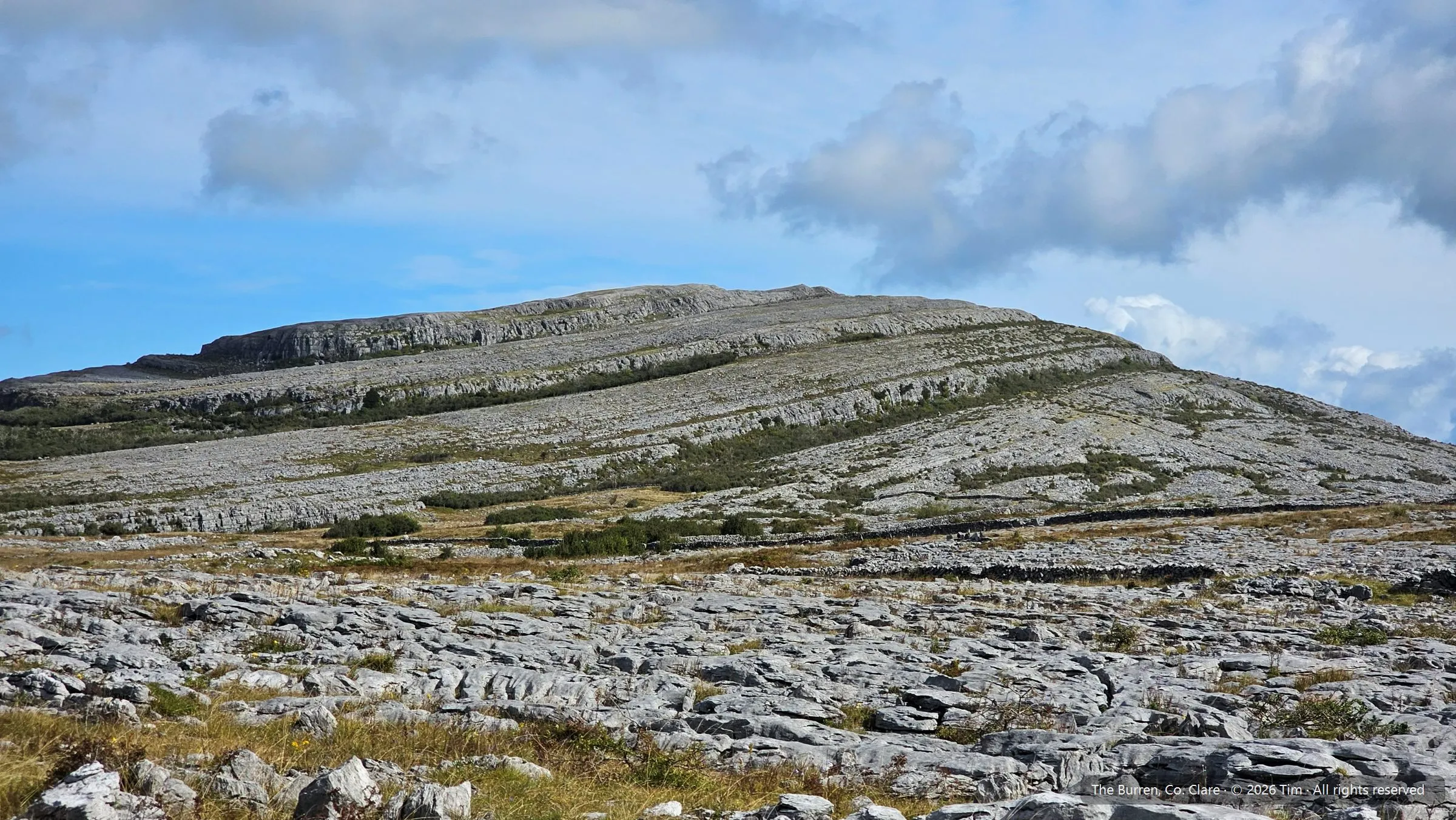
Looking back at the 1.1 release, it’s the photo at the top of this page, really: plenty of bare limestone, on purpose, and only what’s earned its place growing in the cracks, which is usually where the flowers turn up.
Footnotes
-
“Fraunces”, Undercase Type on GitHub, accessed 24 October 2026 - “Fraunces is a display, ‘Old Style’ soft-serif typeface inspired by the mannerisms of early 20th century typefaces”. It ships here as a variable font, weight axis only, for headings alone. ↩
-
“Opus Interactive Audio Codec”, Xiph.Org Foundation, accessed 24 October 2026 - “Opus is a totally open, royalty-free, highly versatile audio codec.” No relation to the other Opus on this site. ↩
-
“Zod”, accessed 24 October 2026 - “TypeScript-first schema validation with static type inference”. Astro builds its content collections on it. ↩
-
“Oryx”, Microsoft on GitHub, accessed 24 October 2026 - “Oryx is a build system which automatically compiles source code repos into runnable artifacts.” ↩
-
“Configure front-end frameworks with Azure Static Web Apps”, Microsoft Learn, 24 June 2024 - Astro is listed with an output location of
distand no custom build command. ↩ -
“Cross-Origin-Resource-Policy (CORP) header”, MDN Web Docs, 21 October 2026 -
same-origin: “Resources can only be loaded from the same origin.”cross-origin: “Resources can be loaded by any other origin/website.” ↩ -
“Shiki”, accessed 24 October 2026 - “based on TextMate grammar and themes, the same engine as VS Code’s syntax highlighting.” Gorgeous output, with every token’s colour written as an inline style, which was the whole problem. ↩
-
“Prism”, accessed 24 October 2026 - “Prism is a lightweight, extensible syntax highlighter, built with modern web standards in mind.” Astro runs it at build time, so no Prism script reaches the page. ↩
-
“popover HTML global attribute”, MDN Web Docs, 3 July 2026 - “Popover elements are hidden via
display: noneuntil opened via an invoking/control element”, and “This behavior can be achieved using HTML alone.” ↩ -
“Digital Source Type”, IPTC NewsCodes, accessed 24 October 2026 -
trainedAlgorithmicMedia, “Digital media created algorithmically using an Artificial Intelligence model trained on captured content”, andcompositeSynthetic, “Mix or composite of several elements, at least one of which is Generative AI”. ↩ -
“EU icons for labelling AI-generated content”, European Commission, 13 October 2026 - “The use of these EU icons is optional, but the labelling requirements under Article 50 AI Act are not.” ↩
-
“HTTP range requests”, MDN Web Docs, 28 July 2026 - “Range requests are useful for various clients, including media players that support random access”. ↩
-
“Islands architecture”, Astro Docs, accessed 24 October 2026 - “In Astro, an island is an enhanced UI component on an otherwise static page of HTML.” ↩